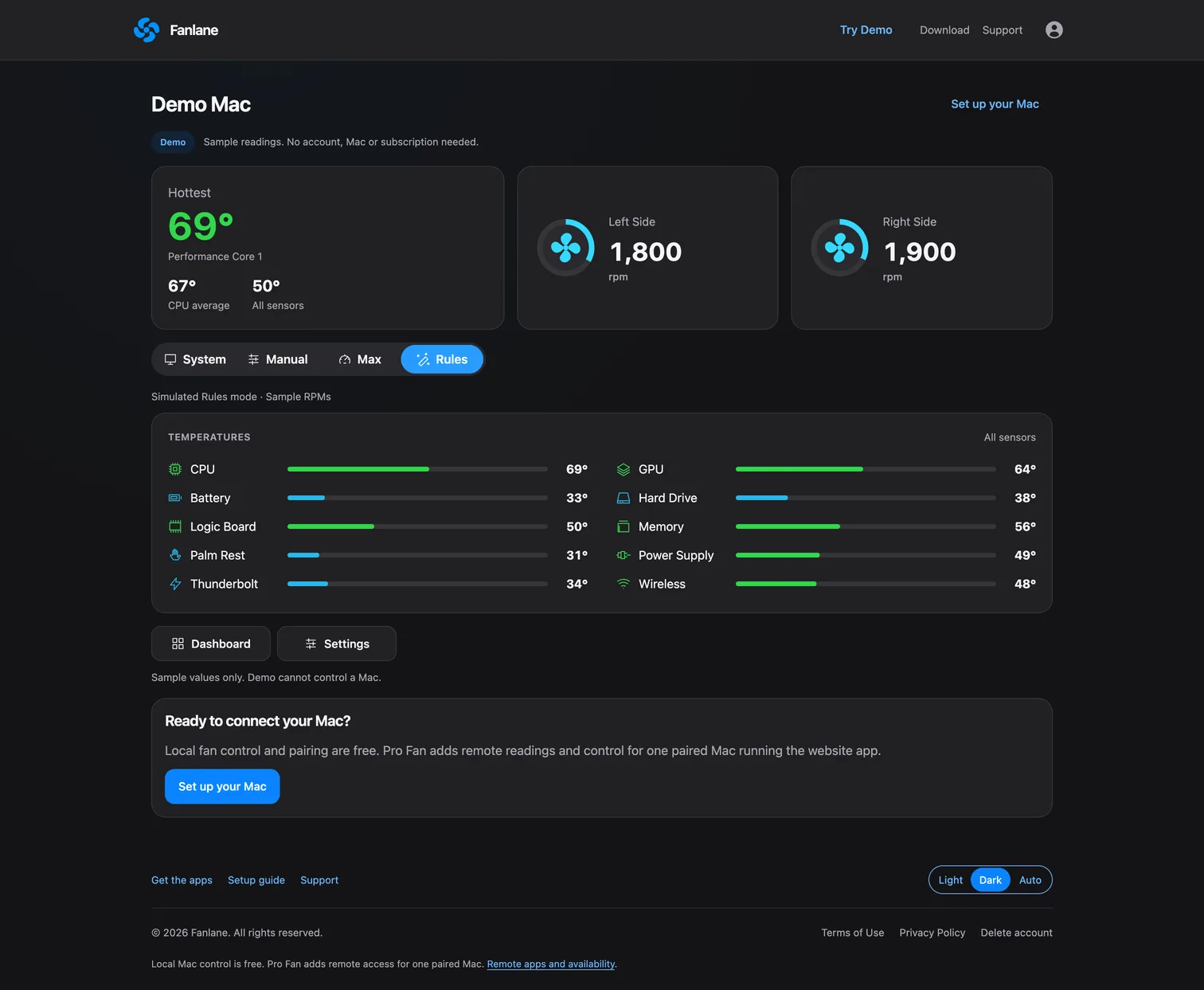
Hottest
69°Performance Core 1
67°CPU average
50°All sensors
 Fanlane
Sample readings. No account, Mac or subscription needed.
Hottest
69°Performance Core 1
Simulated Rules mode · Sample RPMs
Demo controls are read-only. Your Mac supplies its supported modes and hardware RPM limits.
Profiles save fan settings together. Temperature curves run on your Mac in Rules mode.
Set up your MacSample preferences. Connect your Mac to edit the settings it supports.
Sample values only. Demo cannot control a Mac.
Local fan control and pairing are free. Pro Fan adds remote readings and control for one paired Mac running the website app.
Set up your Mac
FREE FOR APPLE SILICON MACS
Free fan control and temperature monitoring for Apple silicon Macs. Set exact speeds, go Max for a render, or let rules ramp the fans when things get hot.
Developer ID signed · Notarized by Apple · Hands fans back to macOS when you quit · No account needed
Requires macOS 26 or later and an Apple silicon Mac. Fan control needs a Mac with fans; fanless Macs get monitoring only.
FREE ON YOUR MAC
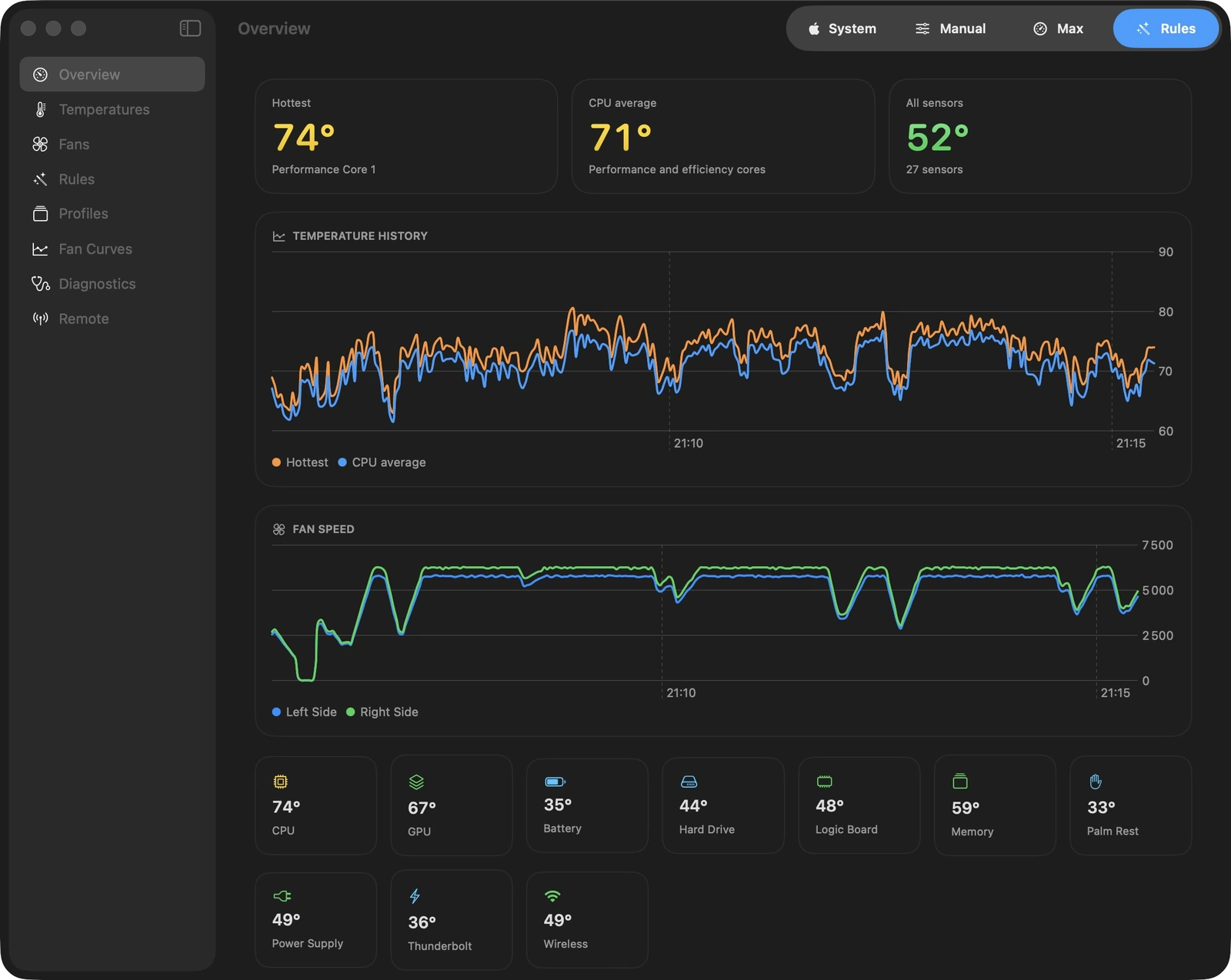
Let macOS handle your fans, set an exact target, go to maximum, or respond to temperature with rules. Your Mac stays in control.
Let macOS manage cooling automatically.
Choose RPM targets within your fans’ actual limits.
Run each supported fan at its maximum speed.
Adjust cooling as your temperatures change.
MAKE IT YOURS
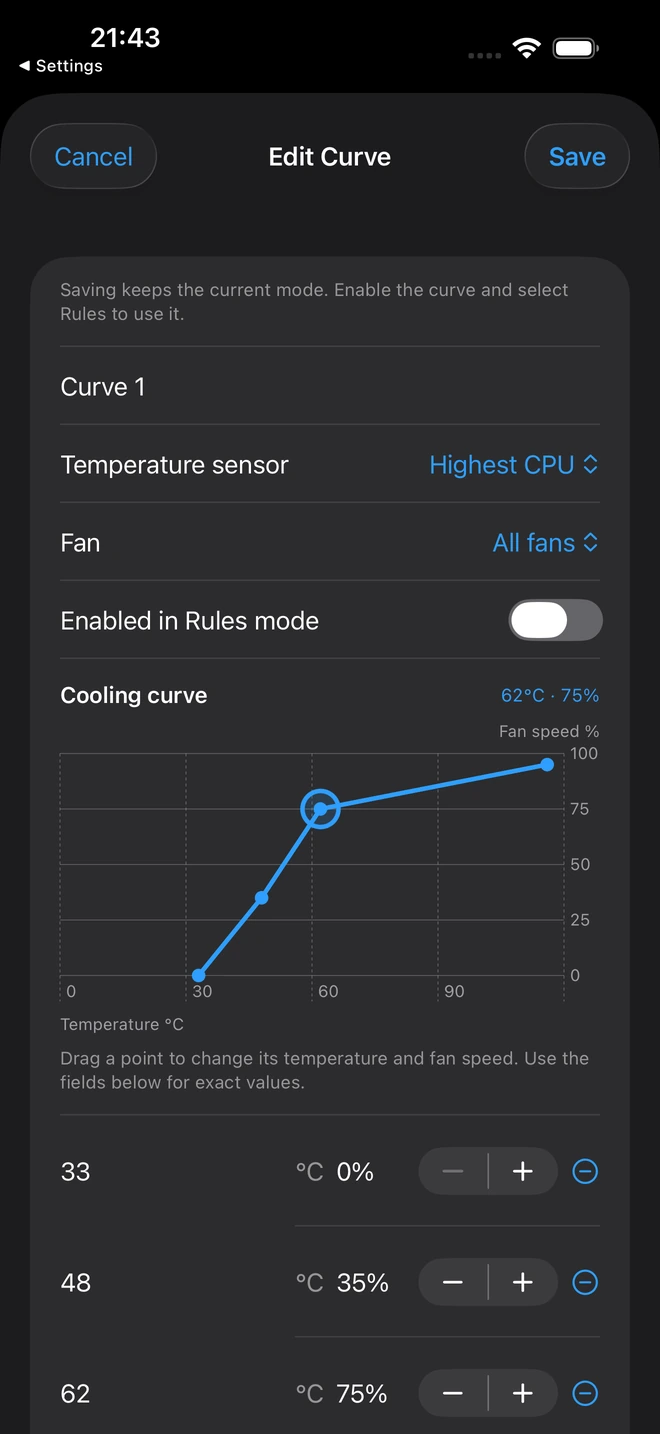
Save your mode, fan targets, rules, curves and ramp time together in a profile. Activate it when you need it.
Choose a temperature sensor and move curve points to shape the response. Enabled curves run in Rules mode, through the same Mac control engine.
See how it works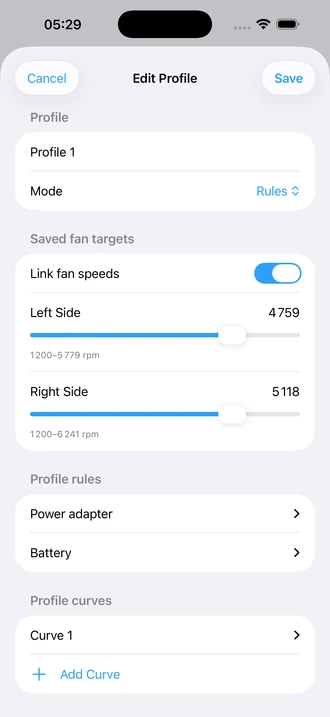
SAFETY
Fan control writes to your Mac’s hardware, so Fanlane asks only for what it needs and gives cooling back to macOS whenever it lets go.
Temperature and fan monitoring works without it. Approve the fan-control helper only when you want to change speeds.
When you quit, before sleep (on by default) and after a crash, the app and its helper hand the fans back to System control.
Choose System in the menu bar, or Restore System in the web dashboard, and macOS manages cooling again.
Quit the app, remove its helper with one Terminal command, then move it to the Trash. How to uninstall
The app and its helper are built to return control automatically, but a hardware or helper failure can prevent recovery, so this is not an unconditional guarantee. If you are unsure, choose System and let macOS manage cooling.
PRO FAN · REMOTE ACCESS
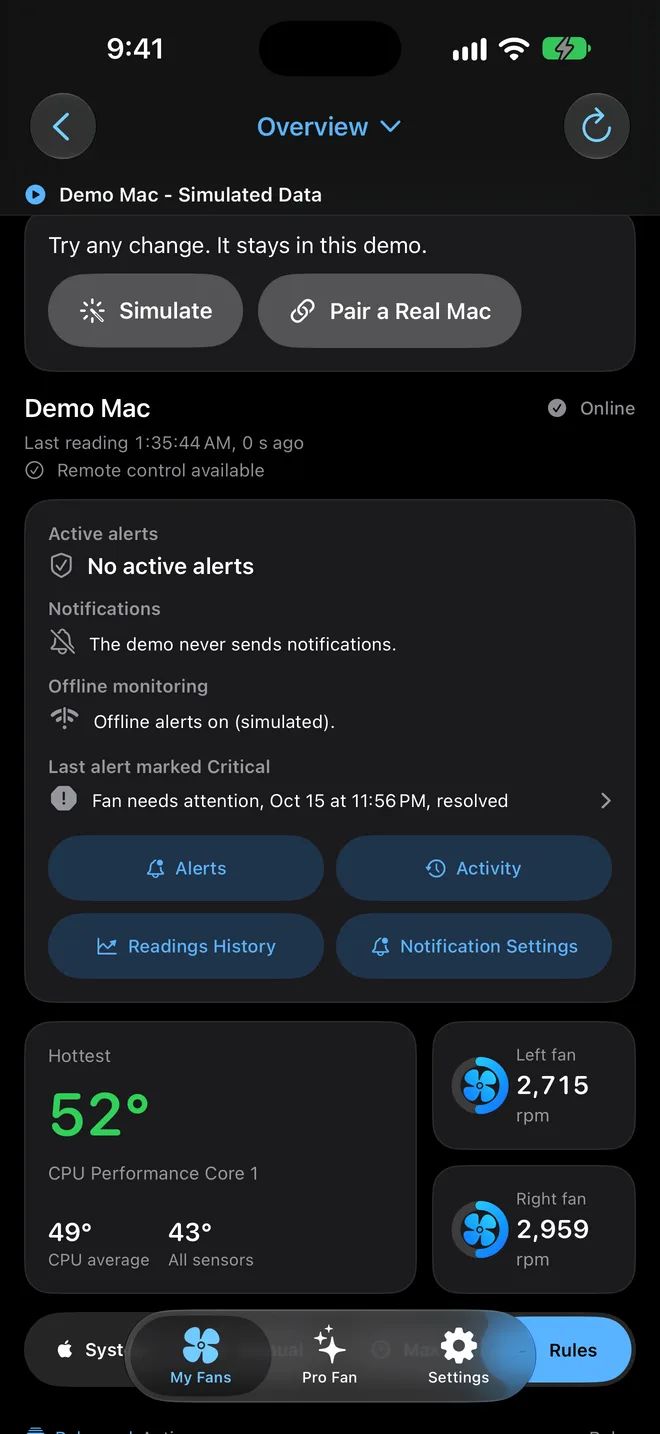
Away from the desk while your Mac is working? Check live temperatures, switch a saved profile or adjust a fan target from iPhone, another Mac or the web.
A remote change is complete only after your Mac reports the applied result.
Pair in the iPhone or Mac remote app, then use the same account on every client, including the web.
Choose temperature, stopped-fan and offline alerts, with quiet delivery when you prefer.
Pro Fan: US$19.99/year or US$2.99/month, 7 days free for eligible new subscribers. Apple shows local prices before you buy. Local Mac features stay free.
One remote Mac per subscription. The Mac you control must be awake, online and running the website app.
Remote companion apps are being prepared for App Store release. Try the demo today.
START WITH YOUR MAC
Install Fanlane on the Mac whose fans you want to manage. Profiles, curves and all local controls stay free, even when a remote subscription ends.
Requires macOS 26 or later and an Apple silicon Mac. Fan control needs a Mac with fans; fanless Macs get monitoring only.
See the remote setup stepsYour Macs, at a glance.
Readings from your Mac’s latest sample.
Waiting for sensor readings…
No sensors match your search.
Mac settings changed. Refresh before applying your edits.
Alerts use your Mac’s actual readings and never change fan settings. Pro Fan is required for remote monitoring.
For all your Macs, on every iPhone and Mac signed in to this account.
Allow notifications to receive alerts while this website is open. Closing the website stops browser delivery.
No alerts in the last 24 hours.
Unpairs this Mac from your account and deletes its remote data. Settings saved on the Mac stay on the Mac. Your account and Pro Fan are not changed.
YOUR ACCOUNT
Delete your hosted data or permanently close your account. Local fan control, settings and logs stay on your Mac.
Deletion does not cancel Apple subscription billing. Manage Apple Subscriptions. You can delete your account immediately.
To finish unlinking Apple, remove Fanlane (it may be listed as My Fan Control) from Sign in with Apple in your Apple Account settings. Apple’s instructions.
